Ask about your network in plain words, and confirm every change yourself.
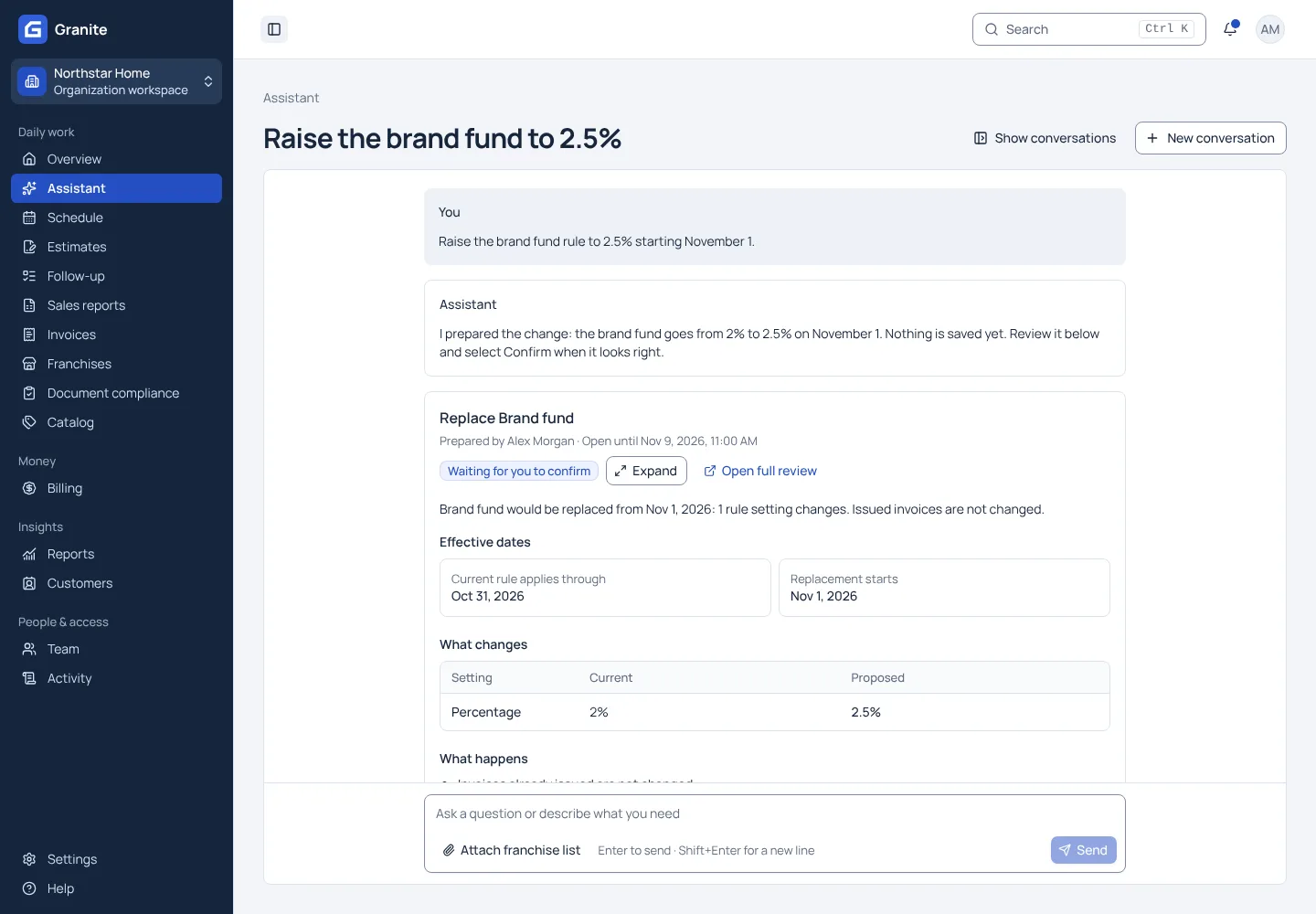
Open the assistant from any page and ask in plain words: which franchises have not reported, what an invoice line is for, or where a setting lives. It answers from the reports, invoices and rules you can already see, opens the page you need, and fills in forms. When you ask for a change, it shows you exactly what it will do and waits for you to confirm. The assistant is included and on for every organization; if you’d rather your team didn’t use it, ask us and we’ll turn it off for yours. Conversations are deleted after the period your organization sets, 90 days unless you change it, and Granite asks its AI provider not to store them.
What the assistant does for you
- Answers come from the records you can already see, with the source and filters shown and a link to the live page.
- Changes it prepares, such as a new royalty rate from a date or a sales report imported from an attached file, are shown to you in full first and saved only when you confirm.
- Stripe keys, card payments and accepting invitations stay with a person. The assistant sends you to the screen where you finish them.
See your own reporting and royalty cycle in Granite.
Bring a recent sales report and your royalty terms. We will walk through the calculation, the invoice and the payment with you.