Your assigned franchise.
The report that is due.
Franchise owners and employees open their franchise, upload the sales report for the current period, run their leads, estimates and crew schedule, and see their invoices and required documents in one focused workspace.
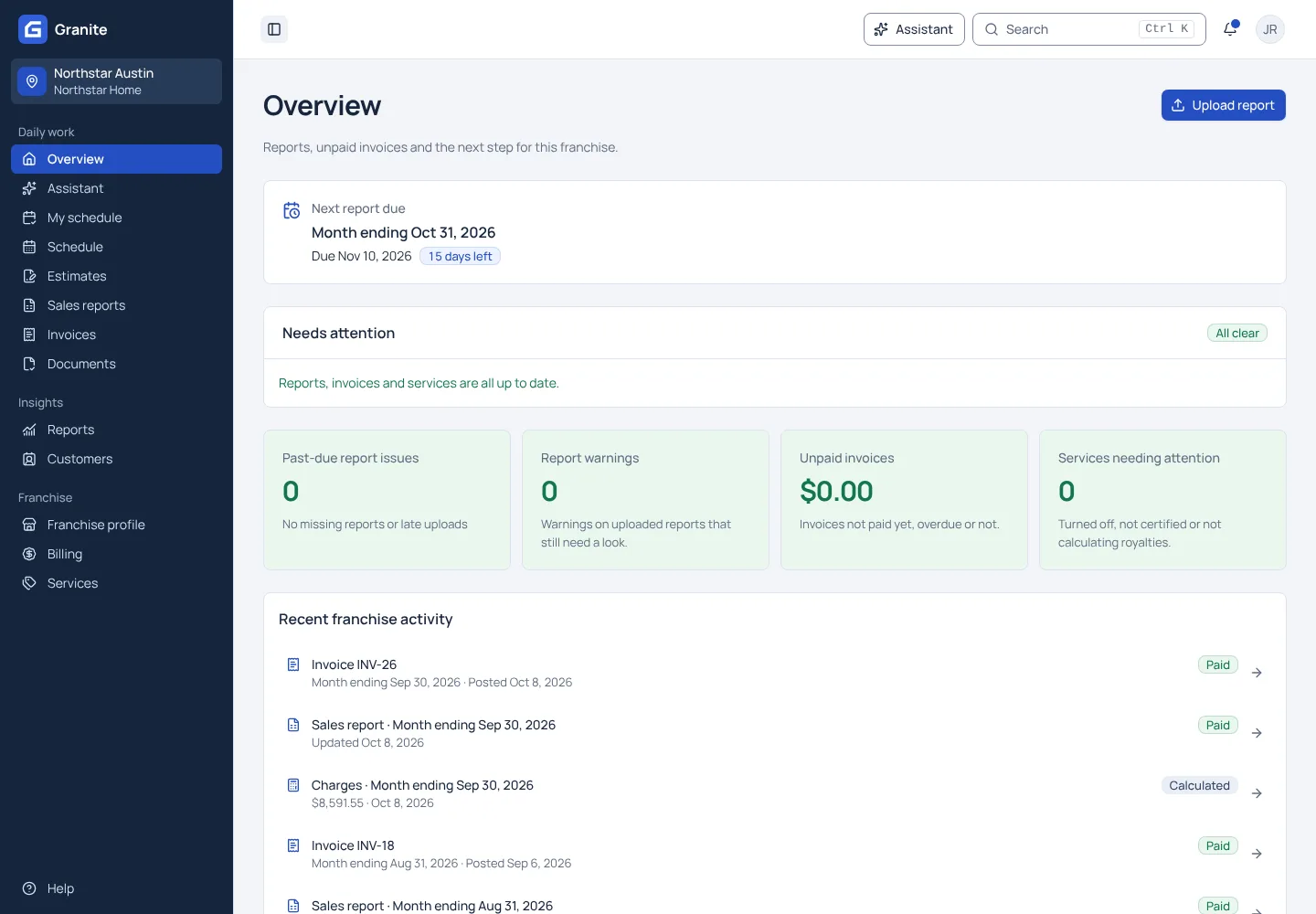
What a franchise user sees in Granite.
The current period first
Open your assigned franchise and the report that is due, with its due date.
Upload from a phone or computer
Upload the report, fix anything Granite flags, and see when it has been submitted.
Invoices and documents nearby
See your invoices, pay by card, and upload required documents from the same workspace.
Run the office in the same workspace.
Leads with your franchise on them
Website requests arrive in Leads for your franchise, with likely spam and duplicates flagged.
Estimates customers sign on a phone
Price the job from the corporate price list, send up to three options and book the signed one as a job.
A calendar for the whole crew
Book visits and jobs, email the crew and the customer, and let each person see their day on My schedule.
From the assigned period to a submitted report in four steps.
Open your franchise
Sign in and open the franchise workspace your organization assigned to you.
Check the period that is due
The overview leads with the next report due and its due date.
Upload and review
Upload the Excel or CSV sales report, using the sample in the upload help if you need one, and check any warnings.
Submit and follow the status
Submit when the report is ready. Your franchisor sees the same report and its status.
Each person sees only what their access allows.
Your organization assigns each person a role and the franchises they work on. Franchise owners and employees see only the franchises they are assigned to, and only what their role allows there.
See team accessPlanning a rollout?
See the people, reporting files, franchise records and billing checks to prepare before your first live reporting cycle.
Read the getting-started guideSee your own reporting and royalty cycle in Granite.
Bring a recent sales report and your royalty terms. We will walk through the calculation, the invoice and the payment with you.